
- TI nspire
TI-nspire CAS Student Software 다운로드 링크

6.0 버전부터는 기간 구독형으로 바뀌어서 비용 부담이 될 수 있으니,
5.4 이전 라이센스를 가지고 계시면 5.4 이전 버전을 다운받아 사용하시는 걸 추천드립니다.
>>> 기존에 인증받은 상태는 유지가 되지만,
새로 설치해서 인증시도할 경우에 기존(영구?) 라이센스를 버전과 관계없이 인증받을 수 없고,
4년짜리 계정 인증 방식으로 변경하지 않으면 사용할 수 없다고 합니다.
(인증을 하지 않는 trial 버전의 사용은 trial 기간 내 사용 가능합니다)
이래도 되나?? Don't be EVIL!
1. 공홈
TI-nspire 의 공홈에 가면 Student Software를 다운로드 받을 수 있는데,
구버전은 별도의 링크가 없어 다운로드 받기 어렵게 되어 있습니다.
기존 링크가 있으면 다운받을 수도 있는데, 링크가 죽는 경우도 간혹 있습니다.
TI-Nspire™ CX II CAS Handheld Operating System
6.0
https://education.ti.com/en/software/details/en/36BE84F974E940C78502AA47492887AB/ti-nspirecxcas_pc_full
trial 버전 없음?
5.4 CAS
https://education.ti.com/en/software/details/en/B4F6E4EE05B94D75AAB4DFE24B2720AE/ti-nspirecxcas_pc_trial
Version 4.5.5.79
https://education.ti.com/en/software/update/ti-nspire-software-update/nspire-download?q1=cx-cas-hh&count=1
3.9 CAS and Non-CAS
https://education.ti.com/en/software/details/en/7B013AEB82F34269B8A346313F5334F6/ti-nspirefamilyupdate
3.9 Non-CAS
https://education.ti.com/en/software/details/en/D8BE316924FF4ABE82CDB03522365CE2/student-nspire
2. TI-planet
여긴 프랑스어 기반이라 사용이 약간 불편할 수도 있는데요.
https://tiplanet.org/forum/archives_list.php?cat=Utilitaires+PC+Nspire
여기로 가셔서 아래로 내리면 검색창(돋보기 아이콘)이 있습니다. 검색어(예 5.4)로 검색하시면 목록이 뜹니다.
premium 이라고 나온 것은 teacher 버전이구요.
그냥 노멀하게 생긴거 CAS/non-CAS 구분해 들어가셔서
다운로드 Télécharger 하시면 됩니다.
예) TI-Nspire CAS 3.2.0.1219 enseignant PC
https://tiplanet.org/forum/archives_voir.php?id=5940
-
 25
25
댓글8
-
1
세상의모든계산기
그렇네요.
https://www.reddit.com/r/TI_Calculators/comments/18hx2at/account_required_on_a_calculator/TBH the computer software is way more than a calculator. But anyway that's not the issue here. A month or two ago they finally disabled the old licensing thing so there's no possibility anymore (other than continuing to use the same old computers where it's installed and previously activated).
https://www.reddit.com/r/calculators/comments/162g08l/i_just_got_my_ti_nspire_cx_ii_cas_and_its_having/
All calculators before December 2023 had Single User License (Perpetual),
No, TI had been issuing time-limited subscription licenses quite some time before December 2023. My CX II CAS unit, sold in November 2022, came with a 1-year license card.
What has changed is, people who already had a perpetual license card (probably from a unit that was originally sold more than a year ago) will no longer be able to activate their software. If they'd already activated it, then it will keep on working on that machine but they won't be able to re-activate it in the future. And if they hadn't activated it at all yet, then they won't be able to do so under the original terms.
기존 제품으로 인증받은 상태는 계속 유지가 가능한데,
새로운 영구 인증 시도는 차단되고, 4년짜리 account 기반으로 변경하라고 강제하는 것 같습니다.
좀 더 정보를 찾아봐야겠네요.부정확한 정보를 올려 혼란을 드렸습니다. 죄송합니다.
-
세상의모든계산기
https://education.ti.com/en/customer-support/knowledge-base/sofware-apps/computer-software-installation-activation/31671
Solution 31671: TI-Nspire™ CX Premium Teacher, TI-Nspire CX Student, TI-Nspire CX CAS Student, TI-SmartView CE, or TI-SmartView™ for MathPrint Software Activation Returns an Error A14.
How do I resolve error A14 that occurs during activation?
The error A14 occurs because this license type is discontinued. Converting to a new, account-based license is required to use the software.
If you own the TI-SmartView CE Software or TI-Nspire CX Premium Teacher Software you can request a new 16-character activation key for an 8-year subscription to replace your existing valid license.
If you own the TI-Nspire CX Student Software or TI-Nspire CX CAS Student Software you can request a new 16-character activation key for a 4-year subscription to replace your existing valid license.
If you own the TI-SmartView for MathPrint Software you can receive a new 8-year subscription for each valid license you own free of charge by contacting TI-Cares.
For any other questions, please contact TI-Cares.
Last updated: 8/26/2024
- 1
-
세상의모든계산기
나중에 포맷해야 할 상황에 대비해
혹시나 PC to PC 앱 옮겨주는 앱(EasyUS Todo)으로 되나 시도해봤는데,

역시나 인증이 안되네요.

-
세상의모든계산기
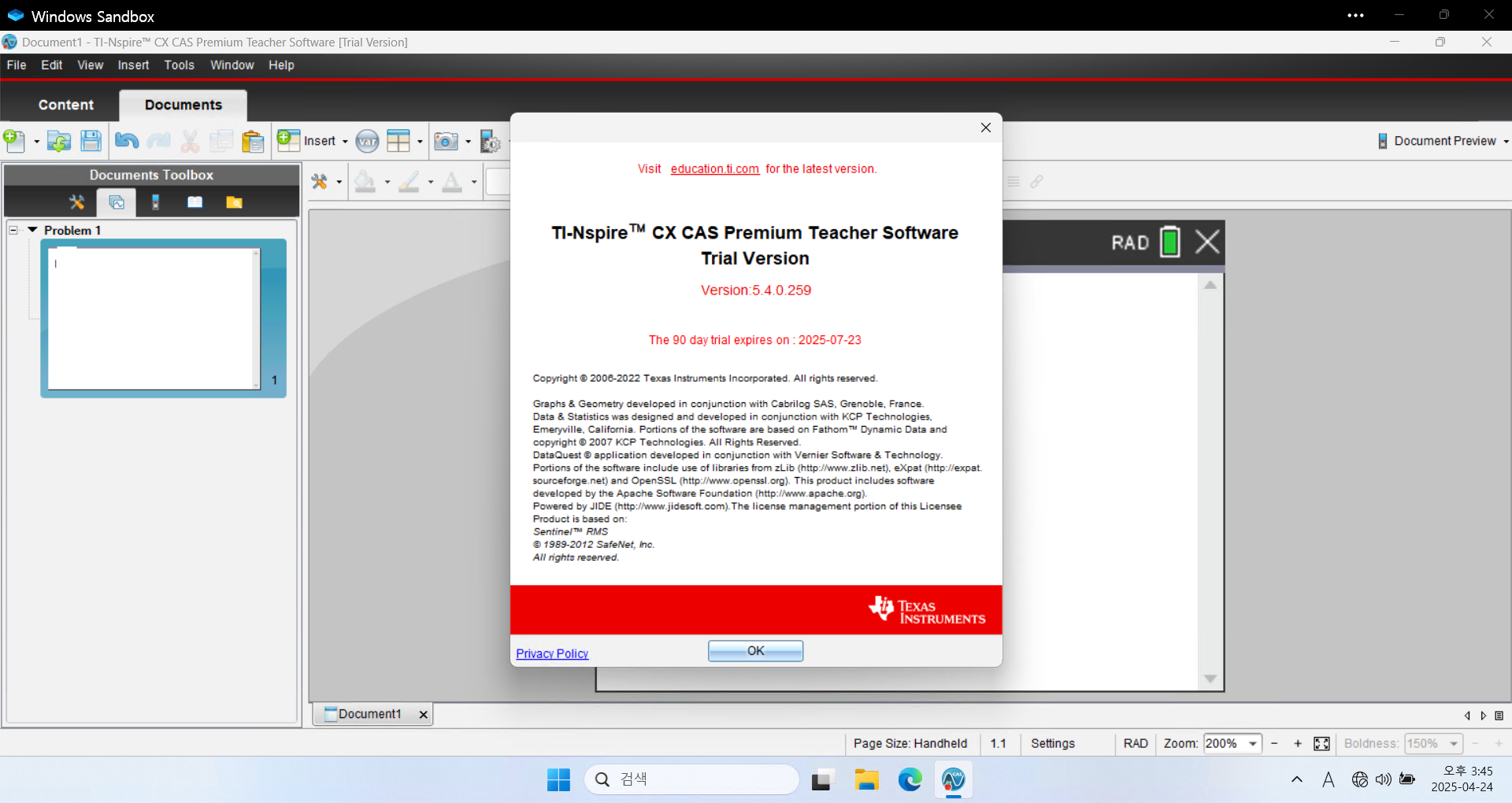
Teacher software 가 90일 trial 이니까
3개월에 한번씩 OS 리셋(포맷)하는게 귀찮지 않으시다면
3달에 한번씩 새로 설치하는 것도 방법이겠습니다.ㄴ 단순히 설치된 trial 버전을 uninstall 하고 re-install 하는 식으로는 날짜가 갱신되지 않습니다.
TI-Nspire™ CX / TI-Nspire™ CX CAS Teacher Software for Windows (EXE) 4.5.0.1180 584,715 https://education.ti.com/en/software/details/en/34934BB615F04ADE8B08D2A511DBB305/teacher-nspireCX-trial
TI-Nspire™ CX Premium Teacher Software for Windows (EXE) 5.4 631 602 https://education.ti.com/en/software/details/en/CF315257D3A6421EAE9D344A7DC49ACD/ti-nspirecx-tps_sda-5x?sc_lang=de-AT
세상의모든계산기 님의 최근 댓글
2) 고정기준값 41에 대한 오차 제곱합 계산방법 이건 통계메뉴에서는 딱히 방법이 떠오르지 않네요. 질문하신 것과 같이 적은 갯수의 data라면 직접 입력하시는게 최선입니다. 하지만 DATA 갯수가 수십개 이상이라면? ㄴ 스프레드시트 기능을 이용하시는게 좋겠습니다. 【MENU】【8】 A열에 DATA 입력하고 B로 이동한 후 OPTN 【1】 Fill Formula 【ALPHA】키 방향키 숫자키 등을 이용해 수식 완성 C로 이동후 Formula 수식 입력 D의 빈공간으로 이동 후 OPTN 방향키 아래 누르다보면 Sum 보임 ALPHA 키 이용해서 수식 완성. : 기호는 MENU 버튼 바로 아래 있음 (ALPHA키로 입력) 【=】입력하면 최종결과 확인 * 주의 (B열, C열과 달리) D1 셀은 계산 결과인 951이 직접 입력된 상태이므로 DATA 수정후 recalculation 하여도 자동계산되지 않음. 자동계산을 위해서는 formula 형식으로 입력해야 함. 2026 10.27 1) 통계적 편차제곱합(평균 50.25기준) 입력 방법 【MENU】 【6】 【1】 로 1-var Stat 모드로 진입하여 【48】 【=】 【66】 【=】 【32】 【=】 【55】【=】 DATA 입력 【OPTN】 【3】 【▼】 【▼】 fx-570EX 기종에도 편차제곱합을 바로 보여주진 않습니다. 본문에 나온 것처럼 앞서 계산되어 저장된 각종 변수를 이용해 계산합니다. 【AC】【OPTN】【4】Statistics Calc 이 화면에서 다시 OPTN 하고 (메뉴가 3개로 줄어 있죠?) 여기서 화살표 아래를 내려보면 추가 메뉴가 있습니다. 4개 메뉴에는 각각 아래 하위 메뉴가 있습니다. 이 중에서 필요로 하는 것을 골라 계산하시면 되겠습니다. Variable 에 있는 값을 이용하면 다른 공식을 쓰셔도 됩니다. 2026 10.27 질문자님, 48,66,32,55 네 개 DATA 의 평균은 50.25라서 41은 평균이 아닙니다. 그래서 식을 두 가지로 나눠서 봐야 합니다. 1) 통계적 편차제곱합(평균 50.25기준)이면 답은 608.75 입니다. 2) 만약 41이라는 고정 기준값에 대한 제곱합을 구하시는 거면 식은 (48-41)²+... 이고 답은 951입니다. 원문에 +로 쓰신 건 -의 오타로 보입니다. 2026 10.27 본문의 변환 위젯에 사용된 전서체 폰트는 대만의 최고 학술 연구 기관인 중앙연구원(Academia Sinica)에서 제공하는 ‘숭희전체(崇羲篆體)’로 전통 한자 서체인 소전(小篆)을 현대 컴퓨터 폰트(글꼴)로 구축한 오픈소스 프로젝트로 개발되었습니다. https://xiaoxue.iis.sinica.edu.tw/chongxi/download.htm 2026 10.20 예제1) 예제2) 예제3) 추가옵션 2026 10.18