
- CASIO 9860
[설명서] ADVANCED QUANTITATIVE REASONING (고급 정량적 추론) with the Casio fx-9860GII
-

- 2024.10.12 - 11:05 2024.10.03 - 16:10 3733
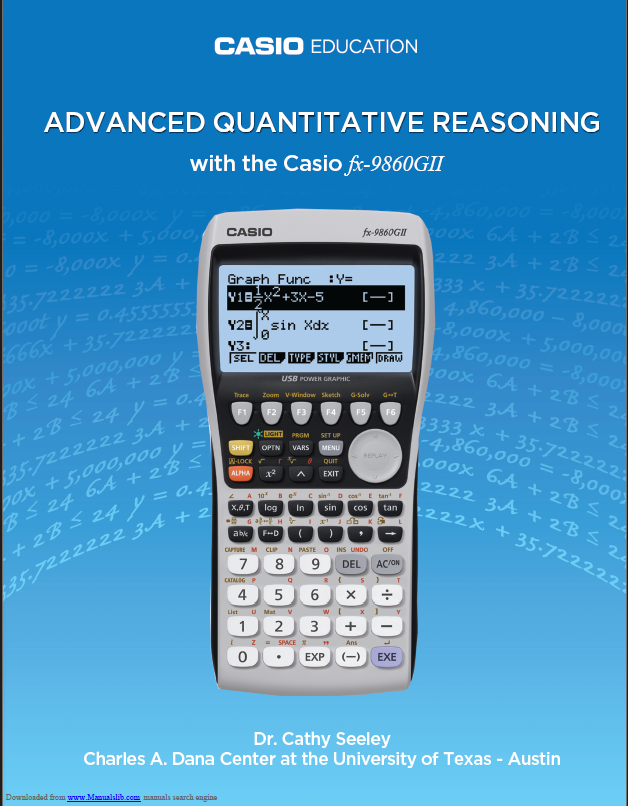
CASIO에서 공식적으로 내놓은 사용 설명서는 아니구요.
다만, 상단에 CASIO EDUCATION 이라고 적혀 있는 걸 볼 때,
카시오의 후원정도를 받아서 대학교 박사(Dr)님께서 작성하신게 아닌가 싶습니다.
오리지널 파일 출처는 어딘지 모르겠네요. 검색해도 딱히 안나옵니다.
내용은 제목에서 보여지듯 통계 관련한 사용법이 주를 이루고 있습니다.
웹상 출처 : https://www.manualslib.com/manual/607293/Casio-Fx-9860gii.html
포함 내용
-
Probability (확률)
-
How to Write Fractions in Natural Display (Natural Display에서 분수 입력)
-
How to Change Fractions to Decimals (분수를 소수로 변환하는 방법)
-
Statistical Studies (통계 연구)
-
How to Change Fractions (and Decimals) to Percents (분수및 소수를 백분율로 변환하는 방법)
-
Seeding a Calculator (시드값 설정하는 방법)
-
How to Use Random Sampling - Choosing 5 Schools from a List of 1000 (무작위 표본 추출 방법 - 1000개의 학교 중에서 4개 선택하기)
-
How to Fill in the Table for Dream Car Using Lists (리스트를 사용하여 드림카 표를 채우는 방법)
-
How to Construct a Histogram (히스토그램을 만드는 방법)
-
How to Determine Mean, Standard Deviation and 5-Number Summary (평균, 표준 편차 및 5-수치 요약을 구하는 방법)
-
How to Construct a Box Plot with and Without Outliers (이상값 포함 및 미포함 박스플롯을 표시하는 방법)
-
How to Display Two Box Plots Using the same Screen (같은 화면에서 두 개의 박스플롯을 표시하는 방법)
-
How to Save to Document on Classroom Computer (교실 컴퓨터에 문서를 저장하는 방법)
-
Using Recursion in Models and Decision Making (모델과 의사결정에서 재귀 사용 방법)
-
How to Enter Bivariate Data into Lists (이변량 데이터를 리스트에 입력하는 방법)
-
How to Graph a Scatterplot (산점도를 그리는 방법)
-
How to Determine “R” (상관계수R을 구하는 방법)
-
How to Enter Recursive Data into a Table (재귀 데이터를 표에 입력하는 방법)
-
How to Graph Recursive Table Data (재귀 데이터를 그래프로 그리는 방법)
-
How to Make a Prediction with Table Data (표 데이터를 바탕으로 예측하는 방법)
-
How to Enter Data into a Spreadsheet (스프레드시트에 데이터를 입력하는 방법)
-
How to Construct a Graph from Spreadsheet Data (스프레드시트 데이터로 그래프를 만드는 방법)
-
How to Graph a Function over a Scatter Plot (산점도 위에 함수를 그리는 방법)
-
How to Change Radian and Degree Mode (라디안 모드와 디그리 모드를 변경하는 방법)
-
How to Make a Periodic Function of the Ferris Wheel (관람차의 주기 함수 만들기)
-
Using Functions in Models and Decision Making (모델과 의사결정 함수 사용 방법)
-
How to Determine Average Ratio of Arm Span to Height (팔 길이와 키의 평균 비율을 구하는 방법)
-
How to Determine a Sinusoidal Regression Model (사인파 회귀 모델을 구하는 방법)
-
How to Determine Maximum and Minimum Values of a Graph (그래프의 최대/최소값을 구하는 방법)
-
How to Construct a Second Sinusoidal Regression on the same Screen (두 그래프의 교점을 구하는 방법)
-
How to Determine the Intersection of Two Graphs (두 그래프의 교점을 구하는 방법)
-
How to Construct a Line Graph (선 그래프를 만드는 방법)
-
How to Construct a Piecewise Function (구간 함수, 부분 함수를 만드는 방법)
-
Decision Making in Finance (재무 의사 결정)
-
How to Calculate Simple Interest (단리 계산법)
-
How to Calculate Compound Interest (복리 계산법)
-
How to Calculate Future Value of an Investment (투자의 미래 가치 계산)
-
How to Calculate FV of an Annuity (연금의 미래 가치 계산)
-
How to Calculate Effective Annual Rate (EAR) (유효 연간 이자율EAR을 계산하는 방법)
-
How to Determine Car Loan Payments (자동차 대출 상환금을 구하는 방법)
-
25
세상의모든계산기 님의 최근 댓글
본문의 변환 위젯에 사용된 전서체 폰트는 대만의 최고 학술 연구 기관인 중앙연구원(Academia Sinica)에서 제공하는 ‘숭희전체(崇羲篆體)’로 전통 한자 서체인 소전(小篆)을 현대 컴퓨터 폰트(글꼴)로 구축한 오픈소스 프로젝트로 개발되었습니다. https://xiaoxue.iis.sinica.edu.tw/chongxi/download.htm 2026 10.20 예제1) 예제2) 예제3) 추가옵션 2026 10.18 PC 소프트웨어에서 script Editor 로 소스코드를 쉽게 복사 -> AI에게 문의/개선요청 할 수 있습니다. 잘 되거나, 잘 안되는 부분이 있으면 대댓글 남겨주세요. 2026 10.16 AI로 딸깍하니까, lua 프로그램으로 바꿔주네요. 세상 참... 본문의 ti-basic 기반으로 만들었고, 서로 문제를 일으킬 수 있을 듯 하여 별개의 파일로 작성하였습니다. 1.1 Page : 설명 1.2 Page : 그래프 1.3 Page : Calculator 사용법 Root Locus 1+K*N/D=0 EX: (6s^2+5s+2)/(6s^3(s^2+7s+16)) INPUT (Calculator page 1.3 ): rl_num:={6,5,2} rl_den:={6,42,96,0,0,0} or num(6s^2+5s+2) den(6s^3(s^2+7s+16)) optional: rl_T:=10 rl_D:=1 Coeffs are descending powers of s. Back on graph page it refreshes itself, else press [r] or [enter]. KEYS: [+] [-] Kmax zoom, [0] reset, [r] reload MARKS: x=pole, o=zero, red line=real axis, gray dash=asymptote, box=break pt, diamond=j-cross VARS: rl_Kmax rl_sigma rl_r rl_JK rl_Jw 첨부파일 rlocus_lua.tns 2026 10.16 링크가 깨졌다고 하시니 404 에러가 나는 아래 링크를 말씀하시는 것 같은데 https://digilander.libero.it/fpirozzi/fourier.zip 이것은 TI-89 / TI-92 용 파일이며 [TI-92][TI-89] Fourier Transform Library https://allcalc.org/52455 링크의 Attached files + 안에 있습니다. 2026 09.11