
- 세상의 모든 계산기 자유(질문) 게시판 팁 & 정보 ()
ROKU Streaming Stick+ 리모컨 배터리 광탈 issue
-

- 2021.02.05 - 20:28 2021.01.04 - 19:34 15862 5

유튜브 시청 전용으로 쓰고 있는 제품인데요.
(메뉴 등) 한글 지원은 안되지만, 유튜브 앱 자체적으로 한글 검색은 지원되어서 문제없이 잘 쓰고 있습니다.
다만 불편한 점이 하나 있는데...
(대기모드 말고 USB 전원이 빠졌거나, TV 코드가 빠졌거나) 스틱 전원이 완전 off 되고 한참 후에 보면, 리모컨 배터리가 광탈되어있더라구요.
전원이 빠진 본체와 연결을 계속 시도하는 것이 아닌가 추정이 되는데 정확한 것은 아직 파악중입니다.
이 문제에서 배터리 광탈을 막을 방법은
- 대기모드를 유지할 수 있게끔 전원을 관리하거나
(TV USB 전원 대신, 220V USB 전원 어댑터를 사용하는 것을 추천) - 리모컨 배터리를 빼 두거나...
-
25
댓글5
-
세상의모든계산기
전원 안꺼지게 했는데도 배터리 문제는 존재합니다.
며칠 수준은 아니지만 그래도 몇주 정도밖에 안가요.
검색해 보니 고질병인듯 합니다. 설계 오류 가능성이...
https://community.roku.com/t5/Remotes-Accessories/Enhanced-Remote-is-draining-batteries/td-p/511906/page/1쭉 읽어보니 해결 방법은 없구요.
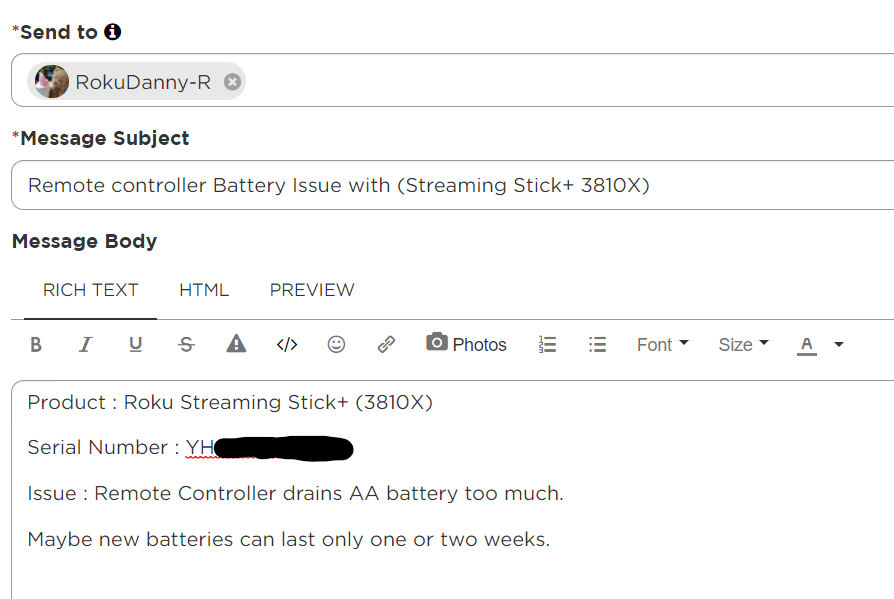
기기 정보 등을 관리자에게 PM으로 보내면 (문제없는) 리모콘을 새로 보내주는 듯 싶네요. -
-
세상의모든계산기2021.02.05 - 20:23 #32142
Hi,
Thank you for letting us know about the remote battery drain issue you are experiencing. Our engineering team has been investigating this issue closely and once more information is available I'll be sure to let the Community know.
In the meantime, if you are powering your Streaming Stick through the USB port on your TV, we would recommend that you power your Roku device through a wall outlet to see if that helps the issue you are experiencing.
Thanks,
Danny -
세상의모든계산기
ROKU 전원은
TV 뒷면 USB -----> 220V USB 어댑터로 변경하였습니다.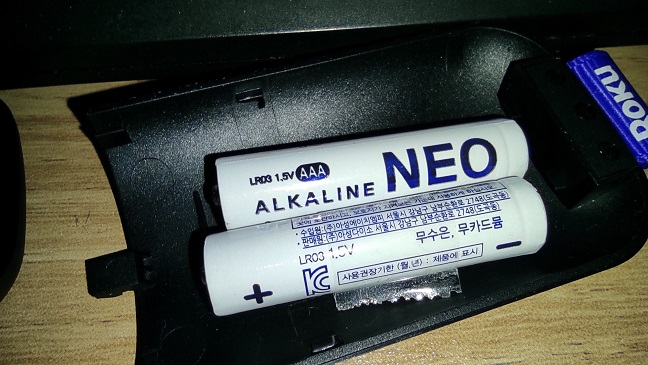
21-02-05, 20:50 : 1.582V
21-02-06, 20:09 : 1.576V
21-02-08, 01:32 : 1.568V
21-02-10, 08:00 : 1.557V & 배터리 OFF
-- 꺼진 상태 유지 --
21-02-13, 15:00 : 배터리 ON
21-02-14, 18:20 : 1.554V
21-02-16, 13:28 : 1.548V
21-02-19, 11:28 : 1.542V
(정전 한번 있었음. 정전 유지시간 알지 못함 30분 이내일 듯 한데...)
21-02-27, 12:40 : 1.528V
(ROKU 거의 사용 안함)
21-03-30, 07:40 : 1.432V(ROKU 사용 안함)
21-04-10, 21:03 : 1.479V (뭐지?? 저번에 잘 못 쟀나?)
** 중간 평가 : 별도의 (지속적, 안정적인) USB 전원에 연결하니 배터리 광탈하는 문제는 없음.
(ROKU 사용 거의 안함)
21-05-23, 16:00 : 1.457V


세상의모든계산기 님의 최근 댓글
본문의 변환 위젯에 사용된 전서체 폰트는 대만의 최고 학술 연구 기관인 중앙연구원(Academia Sinica)에서 제공하는 ‘숭희전체(崇羲篆體)’로 전통 한자 서체인 소전(小篆)을 현대 컴퓨터 폰트(글꼴)로 구축한 오픈소스 프로젝트로 개발되었습니다. https://xiaoxue.iis.sinica.edu.tw/chongxi/download.htm 2026 10.20 예제1) 예제2) 예제3) 추가옵션 2026 10.18 PC 소프트웨어에서 script Editor 로 소스코드를 쉽게 복사 -> AI에게 문의/개선요청 할 수 있습니다. 잘 되거나, 잘 안되는 부분이 있으면 대댓글 남겨주세요. 2026 10.16 AI로 딸깍하니까, lua 프로그램으로 바꿔주네요. 세상 참... 본문의 ti-basic 기반으로 만들었고, 서로 문제를 일으킬 수 있을 듯 하여 별개의 파일로 작성하였습니다. 1.1 Page : 설명 1.2 Page : 그래프 1.3 Page : Calculator 사용법 Root Locus 1+K*N/D=0 EX: (6s^2+5s+2)/(6s^3(s^2+7s+16)) INPUT (Calculator page 1.3 ): rl_num:={6,5,2} rl_den:={6,42,96,0,0,0} or num(6s^2+5s+2) den(6s^3(s^2+7s+16)) optional: rl_T:=10 rl_D:=1 Coeffs are descending powers of s. Back on graph page it refreshes itself, else press [r] or [enter]. KEYS: [+] [-] Kmax zoom, [0] reset, [r] reload MARKS: x=pole, o=zero, red line=real axis, gray dash=asymptote, box=break pt, diamond=j-cross VARS: rl_Kmax rl_sigma rl_r rl_JK rl_Jw 첨부파일 rlocus_lua.tns 2026 10.16 링크가 깨졌다고 하시니 404 에러가 나는 아래 링크를 말씀하시는 것 같은데 https://digilander.libero.it/fpirozzi/fourier.zip 이것은 TI-89 / TI-92 용 파일이며 [TI-92][TI-89] Fourier Transform Library https://allcalc.org/52455 링크의 Attached files + 안에 있습니다. 2026 09.11