
- HP 기타 모델
HP-39gII 에 ExistOS 설치하기
-

- 2025.11.07 - 09:00 2023.03.23 - 12:39 3817 4
1. 준비물
- HP39gII 본체
배터리 AAA*4개 필요없음. 오히려 제거하라고 나옴.- micro USB 케이블
- 윈도우 10 또는 11 PC (추천!)
ㄴ 아니면 그외 윈도우/리눅스용 이 따로 있는 듯 함. (구분 주의)
2. 파일 다운로드
- https://github.com/ExistOS-Team/ExistOS-For-HP39GII/blob/main/README_en.md#only-installing
- 위 링크에서 펌웨어를 다운 받습니다. OSLoader.sb 및 ExistOS.sys
- 연결용 PC의 OS에 따라 파일을 다운받습니다.
윈도우 10/11 은 ExistOS Updater 를 받으시면 되고,
https://github.com/ExistOS-Team/ExistOS_Updater_v2#readme
그외 윈도우나 리눅스는 sb_loader 및 EDB 파일이 필요합니다.
3. 업로드(플래시)하기
- 계산기에서 모든 배터리 제거
- 【ON/C】 키를 누른 채로 USB 케이블을 PC와 연결합니다.
- OSLoader 로 계산기를 부팅시키고,
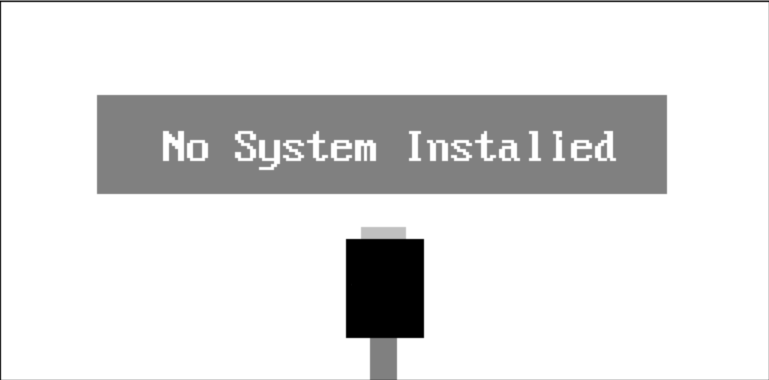
- System 파일을 플래싱합니다.
- 계산기가 재부팅되고 환영 메시지가 뜰 때까지 기다립니다. (오래 안걸립니다. 아마도 1분~2분?)
- 화면에 F2 누르라고? 나올 겁니다.
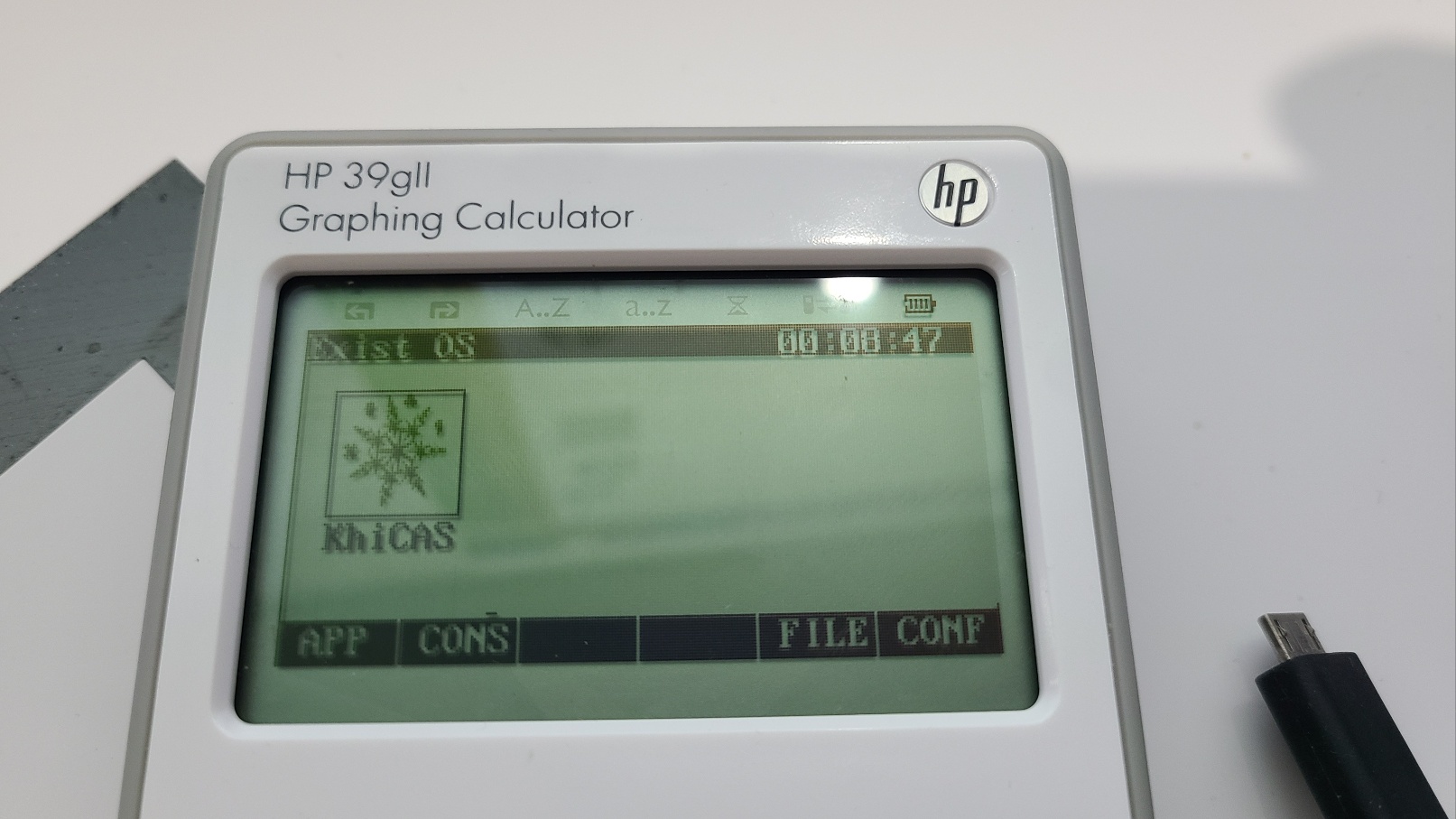
성공하면 이렇게 화면이 나옵니다.
4. 복원하기
- On + F5 키를 눌러 maintenance menu 화면으로 들어간 후
- 설치한 파일을 모두 삭제 Erase Flash 하고
- HP 공식 firmware 설치 파일을 윈도우7 / XP 에서 실행하여 펌업
-
25
댓글4
-
세상의모든계산기
Emu48 은 현재 실행이 안되는 건지,
아니면 파일을 못구하는 건지
확인이 안되는 상황입니다.
rom.g39
Usage: Putrom.g39(1MB) to the root directory of the calculator's internal storage, then startEmu48from the main menu.파일만 집어넣어두면 되는 것 같은데, 롬파일이 없네요.
처음에 백업을 해 뒀어야 하는 것인지???
https://www.hpcalc.org/hp39/
여기서 찾아보니 rom.39g (4096KB) 파일은 있는데...
찾아야 하는 건 rom.g39 (1MB) 라고 하니...
https://www.hpcalc.org/details/8988
여기서 rom.39g 1024KB 파일을 찾긴 했는데...
rom.g39 로 바꿔 넣어봐도 인식 안하고...
혹시나 rom.39g 로 넣어보면? 역시나 인식 안하고...
현재 도달한 결론은
ExistOS build119 에는 "Emu48 프로그램이 탑재되지 않았나보다" 입니다.
-
1
세상의모든계산기
ROM.48G 는 아래 링크 내용을 잘 따라가시면 발견하실 수 있습니다.
https://www.pcx-belgium.be/EMU48_page.htm
그런데 필요한 건 39G 인데...
세상의모든계산기 님의 최근 댓글
본문의 변환 위젯에 사용된 전서체 폰트는 대만의 최고 학술 연구 기관인 중앙연구원(Academia Sinica)에서 제공하는 ‘숭희전체(崇羲篆體)’로 전통 한자 서체인 소전(小篆)을 현대 컴퓨터 폰트(글꼴)로 구축한 오픈소스 프로젝트로 개발되었습니다. https://xiaoxue.iis.sinica.edu.tw/chongxi/download.htm 2026 10.20 예제1) 예제2) 예제3) 추가옵션 2026 10.18 PC 소프트웨어에서 script Editor 로 소스코드를 쉽게 복사 -> AI에게 문의/개선요청 할 수 있습니다. 잘 되거나, 잘 안되는 부분이 있으면 대댓글 남겨주세요. 2026 10.16 AI로 딸깍하니까, lua 프로그램으로 바꿔주네요. 세상 참... 본문의 ti-basic 기반으로 만들었고, 서로 문제를 일으킬 수 있을 듯 하여 별개의 파일로 작성하였습니다. 1.1 Page : 설명 1.2 Page : 그래프 1.3 Page : Calculator 사용법 Root Locus 1+K*N/D=0 EX: (6s^2+5s+2)/(6s^3(s^2+7s+16)) INPUT (Calculator page 1.3 ): rl_num:={6,5,2} rl_den:={6,42,96,0,0,0} or num(6s^2+5s+2) den(6s^3(s^2+7s+16)) optional: rl_T:=10 rl_D:=1 Coeffs are descending powers of s. Back on graph page it refreshes itself, else press [r] or [enter]. KEYS: [+] [-] Kmax zoom, [0] reset, [r] reload MARKS: x=pole, o=zero, red line=real axis, gray dash=asymptote, box=break pt, diamond=j-cross VARS: rl_Kmax rl_sigma rl_r rl_JK rl_Jw 첨부파일 rlocus_lua.tns 2026 10.16 링크가 깨졌다고 하시니 404 에러가 나는 아래 링크를 말씀하시는 것 같은데 https://digilander.libero.it/fpirozzi/fourier.zip 이것은 TI-89 / TI-92 용 파일이며 [TI-92][TI-89] Fourier Transform Library https://allcalc.org/52455 링크의 Attached files + 안에 있습니다. 2026 09.11