
- HP 10BII+
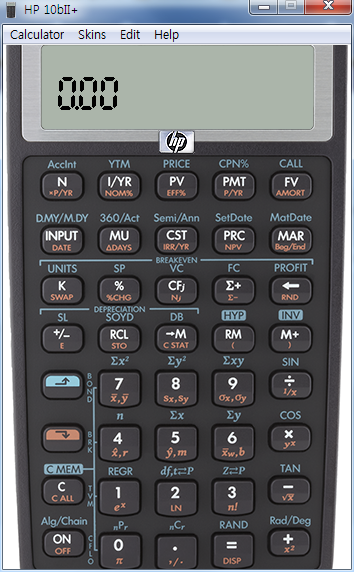
[HP 10bII+] Emulator 재무용 계산기 에뮬레이터
-

- 2024.07.27 - 09:28 2015.03.01 - 12:48 4981 1
 설치
-
25
댓글1
-
세상의모든계산기2015.03.01 - 13:11 #5231
모든 hp 계산기 에뮬레이터는 교육용에 한하여 요청을 하면 보내준다는 듯 합니다.
https://ssl.www8.hp.com/h41268/live/index.aspx?qid=20709&jumpid=va_r11363_us/en/any/tsg/pl_ot_ob_ds_pd/calculatoremulators_cc/dt
HP Calculator Emulators for Educators
Request an HP Emulator for your coursesEducators - HP's PC emulator software provides you with a fully functional replica of any HP calculator model. Just launch the emulator and attach your PC to a projector to show keystrokes and make it easy to create a participatory environment for your students. All HP calculator emulators are Windows 7 compatible. The HP Prime emulator is also Windows 8 compatible.
How do you take advantage of this offer? Fill out the form below and submit.
HP Emulators are only free for educators, so we require that you include a copy of your syllabus clearly stating the requirement of a calculator in your course. Approval of your request to participate in this offer is at HP’s sole discretion. If your request is approved, HP will notify you of the approval. Please allow up to 5-7 business days for delivery after you receive notification of approval.
-- REMEMBER TO TELL YOUR PROFESSOR COLLEAGUES THAT THEY TOO CAN TAKE ADVANTAGE OF THIS OFFER! --
세상의모든계산기 님의 최근 댓글
https://v.daum.net/v/20261115103924120 2026 11.15 언제 추가되었는지 확인은 못하였습니다만, 델리(DELI) D991EX 가 허용군에 추가되어 본문 갱신하였습니다 2026 11.10 좋은 정보 감사드립니다. 링크 글은 수정하였습니다. 2026 11.10 게임에서는 왜 굳이 버림을 쓸까요? 반올림이면 이런 일이 생깁니다. 진짜 99.99996% → 반올림하면 표시 100.0000% 눈에는 100%인데 렙업이 안 된 거죠. 이건 플레이어 입장에서 명백한 버그로 보입니다. 버림이면 표시가 진짜를 절대 초과하지 않습니다. 진짜 99.99996% → 표시 99.9999% 진짜 100.00000% → 표시 100.0000% = 딱 렙업 즉, 표시가 100%가 되는 순간 = 진짜로 렙업되는 순간이 일치합니다. 2026 11.08 2) 고정기준값 41에 대한 오차 제곱합 계산방법 이건 통계메뉴에서는 딱히 방법이 떠오르지 않네요. 질문하신 것과 같이 적은 갯수의 data라면 직접 입력하시는게 최선입니다. 하지만 DATA 갯수가 수십개 이상이라면? ㄴ 스프레드시트 기능을 이용하시는게 좋겠습니다. 【MENU】【8】 A열에 DATA 입력하고 B로 이동한 후 OPTN 【1】 Fill Formula 【ALPHA】키 방향키 숫자키 등을 이용해 수식 완성 C로 이동후 Formula 수식 입력 D의 빈공간으로 이동 후 OPTN 방향키 아래 누르다보면 Sum 보임 ALPHA 키 이용해서 수식 완성. : 기호는 MENU 버튼 바로 아래 있음 (ALPHA키로 입력) 【=】입력하면 최종결과 확인 * 주의 (B열, C열과 달리) D1 셀은 계산 결과인 951이 직접 입력된 상태이므로 DATA 수정후 recalculation 하여도 자동계산되지 않음. 자동계산을 위해서는 formula 형식으로 입력해야 함. 2026 10.27