
샤프 EL-W506T 는 Q-net (기사/기능사) 시험에서 사용 가능할까?
-

- 2024.09.21 - 08:21 2024.09.06 - 22:47 2383 3
Q-net 에서 주관하는 시험은
시험 중 사용할 수 있는 계산기로 화이트리스트 제도를 시행하고 있습니다.
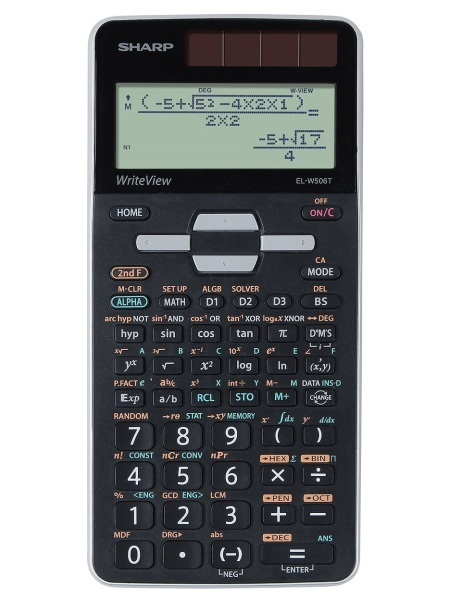
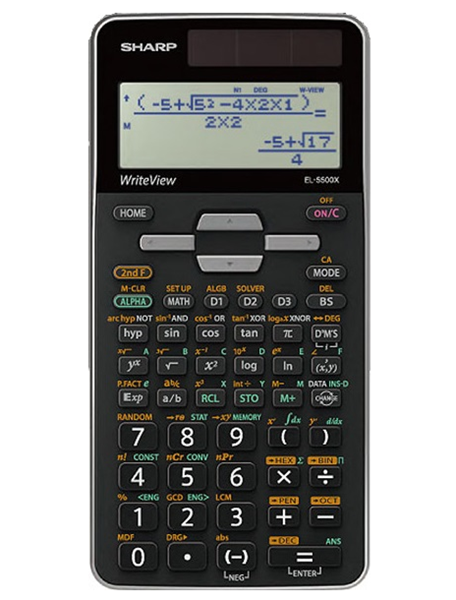
즉, 리스트에 있으면 --> 사용 가능
리스트에 없으면 --> 사용 불가
매우 엄격한 제도라고 볼 수 있죠.
엄격한 제도로 변경된 것은 계산기 차이로 인한 불공정성을 허용하지 않겠다는 의지로 보입니다.
* 나쁘게 말하면, "난 책임지는건 딱 질색이니까, 다 쳐내!"라는 의지의 발현이구요.
샤프 모델중 허용군에 포함되는 것은
| 5 | 샤프(SHARP) | EL-501~599 |
| 6 | " | EL-5100,5230,5250,5500 |
위와 같습니다.
추가로, * 허용군 내 기종번호 말미의 영어 표기(ES, MS, EX 등)는 무관하구요.
그렇다면...
기종번호 말미의 영어 표시가 아니고,
기종번호 앞의 영어 표시는 무관할까요? 유관할까요?
그에 대해서 공지사항에 따로 언급된 것은 없습니다.
제도 취지를 생각해 봤을 때,
명확하지 않으면 허용하지 않는 쪽으로 해석하는게 바람직해 보이긴 합니다.
다나와 페이지에도 국가기술자격시험: 불가 로 구분되어 있긴 하구요.
관리공단에 질문을 넣어 보았는데, 답변이 돌아오면 내용을 댓글에 추가해 올리도록 하겠습니다.
-
25
댓글3
-
세상의모든계산기
민원제목 한국산업인력공단 Q-net 주관 시험, 계산기 허용 모델 질문 민원내용 Q-net 주관 시험에서 사용 가능한 계산기에 대한 공지사항은
홈페이지를 통해 알고 읽어서 알고 있습니다.
다만 약간 애매한 부분이 있어 질문 드리고자 합니다.
SHARP 계산기의 경우 일부 모델의 경우에
기종번호 숫자 뒤에 붙는 것 영어 이외에,
"기종번호 숫자 앞에 붙는 영어"가 있는 모델이 있습니다.
예를 들어
SHARP EL-W506X 같은 모델입니다.
https://prod.danawa.com/info/?pcode=3784696&keyword=sharp+el-w506&cate=19238288
이런 모델 중 국내에 (정식 수입되어) 판매중인 것은 EL-W506X 뿐인 듯 보이지만,
해외에는 EL-W506T, EL-W516XG 등 다양한 모델이 있는 듯 합니다.
이렇게
1. 숫자는 허용 기종군에 포함되는데,
2. 숫자 "앞"에 접두어로 영어가 붙는 경우
사용 불가 모델인지? 사용 가능한 모델인지?
질문 드립니다.답변일 2024-09-20 19:12:38 처리결과
(답변내용)안녕하십니까?
귀하께서 국민신문고에 접수하신 민원(신청번호 1AA-2409-0231417)에 대하여 다음과 같이 검토하여 그 결과를 알려드립니다
[민원요지]
귀하의 민원은 공학용 계산기 허용기종에 대한 것으로 판단됩니다.
[민원답변]
귀하의 질의사항에 대해 검토한 의견은 다음과 같습니다.
공학용계산기 허용군은 공지문에 기재된 것처럼 기종번호 말미의 영어표기는 무관하나
귀하께서 문의하신 기종번호 숫자 앞에 영어가 붙는 모델은 메모리 및 저장 기능 등으로
인해 현재 허용군은 아님을 알려드리니 참고하시기 바랍니다.
[맺음말]
기타 상기 답변과 관련한 문의는 한국산업인력공단 능력평가기획부 김세인(052-714-8658)으로 하시기 바랍니다.우리 공단 모든 임직원은 공정하고 청렴한 업무 수행을 약속드리며, 고객 매우 만족을 위해 최선을 다하는 한국산업인력공단이 되겠습니다. 감사합니다.
첨부파일 첨부파일 없음 - 1
-
세상의모든계산기
EL-W506T vs EL-5500X 성능 비교
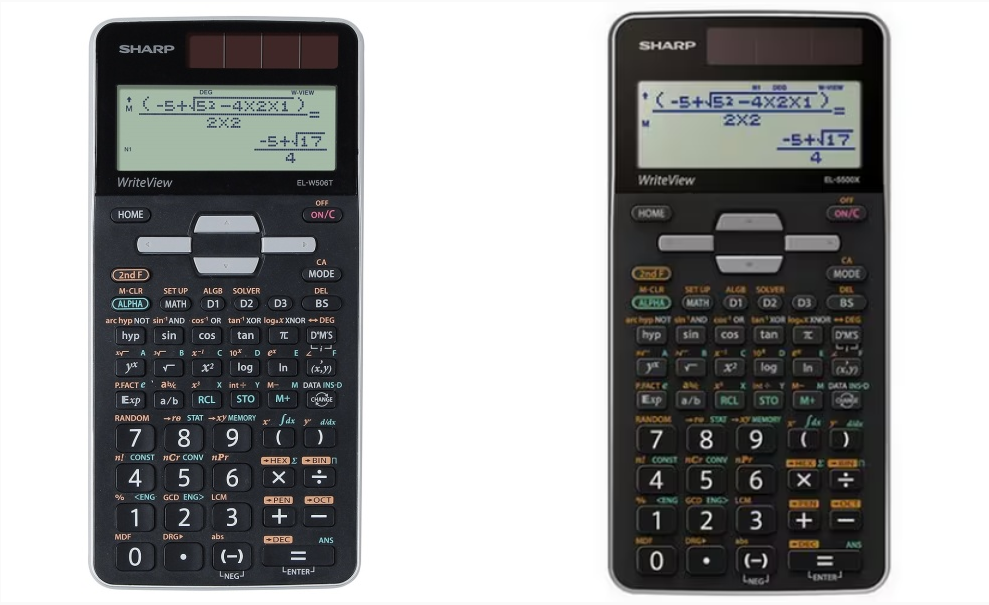
외형 동일
Basic Description EL-W506T EL-5500X Display Type Dot Matrix = 좌동
96×32Number of Display Digits 16 ? Power Source Solar & Battery = Battery Type LR44 x1 = Automatic Power Down yes = Keys Plastic = Protective Case yes = Dimensions 166 x 80 x 15 mm = Weight 108 g = Mathematical Functions Built-In Functions 640 = Entry System Algebraic (D.A.L.) = 1/x, x², square root, % yes = Pi Key yes = GCD, LCM yes = Quotient and Remainder Calculation yes = Fractions yes = Function Table yes = Equation Solver (Newton) yes = System of Linear Equations yes = Matrix and Vector Calculations yes = Numeric Derivative and Integral yes = Complex Number Calculation yes = Training (DRILL) Function yes = Memory Multi-Line Playback yes = Last Answer Recall (ANS) yes = Memory Variables 9 = Notation and Decimal Places FSE Display (SCI, FIX, ENG) yes = 3-Digit Punctuation yes = Statistics 1-Variable Statistics yes = 2-Variable Statistics yes = Regression Calculations 7 = Mean, Standard Deviation yes = nCr, nPr, n! yes = Random Numbers yes = Trigonometric Functions Deg, Rad, Grad Modes yes = Sin, Cos, Tan, and Inverses yes = Hyperbolic Functions yes = Sexagesimal and Decimal Conversions yes = Rectangular and Polar Coordinates Conversions yes = Number Systems Bin, Pen, Oct, Hex, Dec yes = Logical Operation (AND, OR, NOT, NEG, XOR) yes = Scientific Functions Metric Conversions yes = Physical Constants yes = Color & Packaging Variants Box Grey 4974019887128 Blister Silver 4974019887005 자료 출처 : https://www.sharp-calculators.com/en/id/166-el-w506t
https://prod.danawa.com/info/?pcode=5074389#bookmark_product_information
EL-5500X 사용 설명서
세상의모든계산기 님의 최근 댓글
2) 고정기준값 41에 대한 오차 제곱합 계산방법 이건 통계메뉴에서는 딱히 방법이 떠오르지 않네요. 질문하신 것과 같이 적은 갯수의 data라면 직접 입력하시는게 최선입니다. 하지만 DATA 갯수가 수십개 이상이라면? ㄴ 스프레드시트 기능을 이용하시는게 좋겠습니다. 【MENU】【8】 A열에 DATA 입력하고 B로 이동한 후 OPTN 【1】 Fill Formula 【ALPHA】키 방향키 숫자키 등을 이용해 수식 완성 C로 이동후 Formula 수식 입력 D의 빈공간으로 이동 후 OPTN 방향키 아래 누르다보면 Sum 보임 ALPHA 키 이용해서 수식 완성. : 기호는 MENU 버튼 바로 아래 있음 (ALPHA키로 입력) 【=】입력하면 최종결과 확인 * 주의 (B열, C열과 달리) D1 셀은 계산 결과인 951이 직접 입력된 상태이므로 DATA 수정후 recalculation 하여도 자동계산되지 않음. 자동계산을 위해서는 formula 형식으로 입력해야 함. 2026 10.27 1) 통계적 편차제곱합(평균 50.25기준) 입력 방법 【MENU】 【6】 【1】 로 1-var Stat 모드로 진입하여 【48】 【=】 【66】 【=】 【32】 【=】 【55】【=】 DATA 입력 【OPTN】 【3】 【▼】 【▼】 fx-570EX 기종에도 편차제곱합을 바로 보여주진 않습니다. 본문에 나온 것처럼 앞서 계산되어 저장된 각종 변수를 이용해 계산합니다. 【AC】【OPTN】【4】Statistics Calc 이 화면에서 다시 OPTN 하고 (메뉴가 3개로 줄어 있죠?) 여기서 화살표 아래를 내려보면 추가 메뉴가 있습니다. 4개 메뉴에는 각각 아래 하위 메뉴가 있습니다. 이 중에서 필요로 하는 것을 골라 계산하시면 되겠습니다. Variable 에 있는 값을 이용하면 다른 공식을 쓰셔도 됩니다. 2026 10.27 질문자님, 48,66,32,55 네 개 DATA 의 평균은 50.25라서 41은 평균이 아닙니다. 그래서 식을 두 가지로 나눠서 봐야 합니다. 1) 통계적 편차제곱합(평균 50.25기준)이면 답은 608.75 입니다. 2) 만약 41이라는 고정 기준값에 대한 제곱합을 구하시는 거면 식은 (48-41)²+... 이고 답은 951입니다. 원문에 +로 쓰신 건 -의 오타로 보입니다. 2026 10.27 본문의 변환 위젯에 사용된 전서체 폰트는 대만의 최고 학술 연구 기관인 중앙연구원(Academia Sinica)에서 제공하는 ‘숭희전체(崇羲篆體)’로 전통 한자 서체인 소전(小篆)을 현대 컴퓨터 폰트(글꼴)로 구축한 오픈소스 프로젝트로 개발되었습니다. https://xiaoxue.iis.sinica.edu.tw/chongxi/download.htm 2026 10.20 예제1) 예제2) 예제3) 추가옵션 2026 10.18