
- 세상의 모든 계산기 자유(질문) 게시판 일반 ()
인공지능(AI) 수학능력 TEST
-

- 2024.05.23 - 21:33 2024.05.21 - 10:41 7540 9
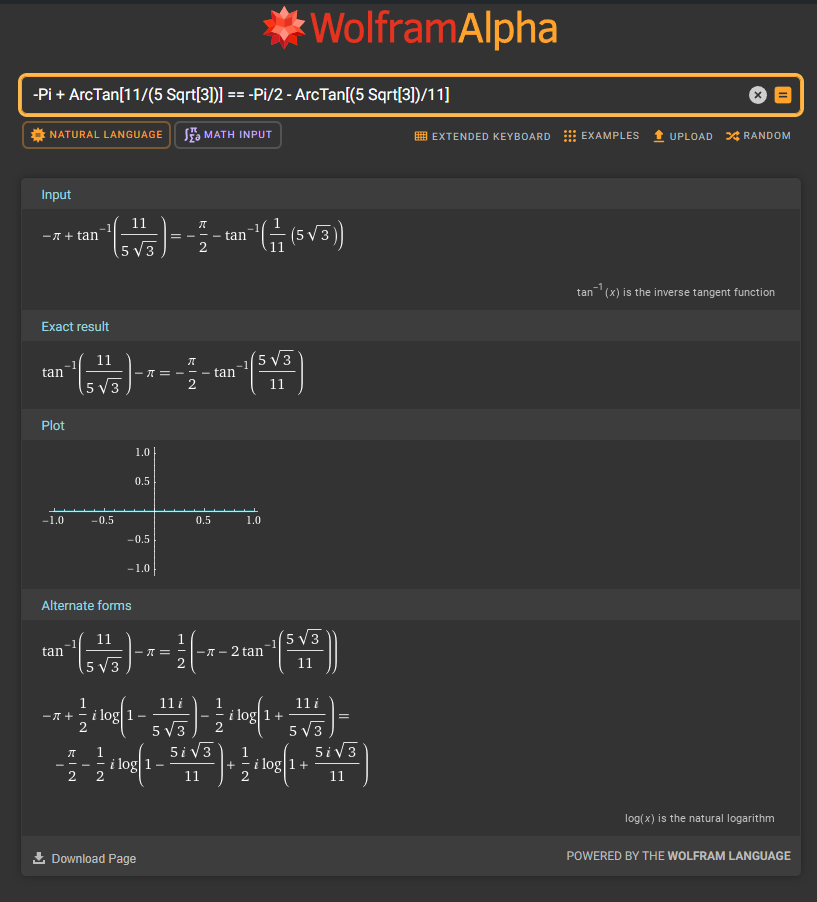
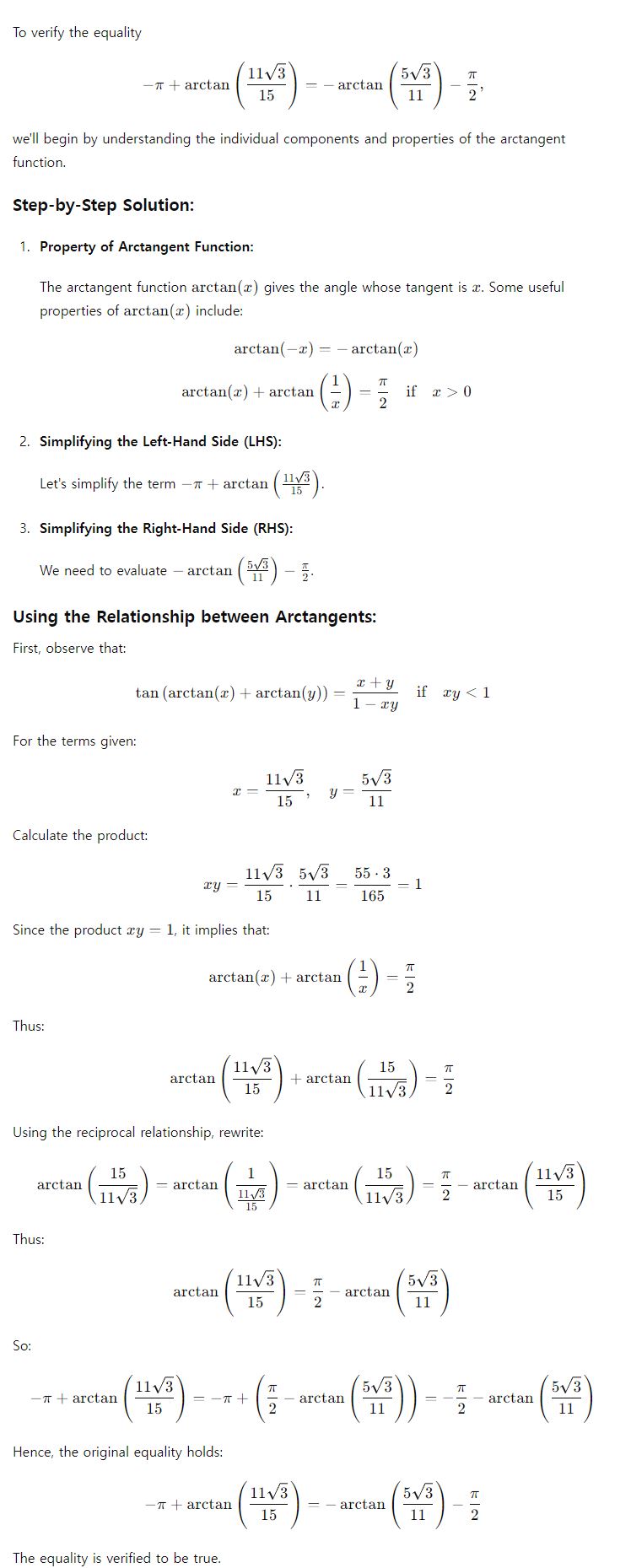
앞의 글에서 조니님께서 질문하신 것을 인공지능에게 물어봤습니다.
과연 답변을 잘 할까요?
일단 울프람알파는 명확하게 답변을 안하네요.
-
25
댓글9
-
세상의모든계산기2024.05.21 - 10:41 #40794
ChatGPT-4o 에게 물어 봤습니다.
To determine if the equation
is true or false, we can simplify and compare both sides.
### Left Side:
### Right Side:
### Using the Identity for $\arctan$:
We use the identity for the sum of arctangents:
This identity holds when .
In this case, let and :Since , the sum formula becomes:
Thus,
Now, substitute this back into the original equation:
### Left Side Simplification:
### Comparing Left and Right Sides:
The simplified left side is:
This matches the right side exactly. Therefore, the original equation is:
Thus, the statement is **true**.
-
조니
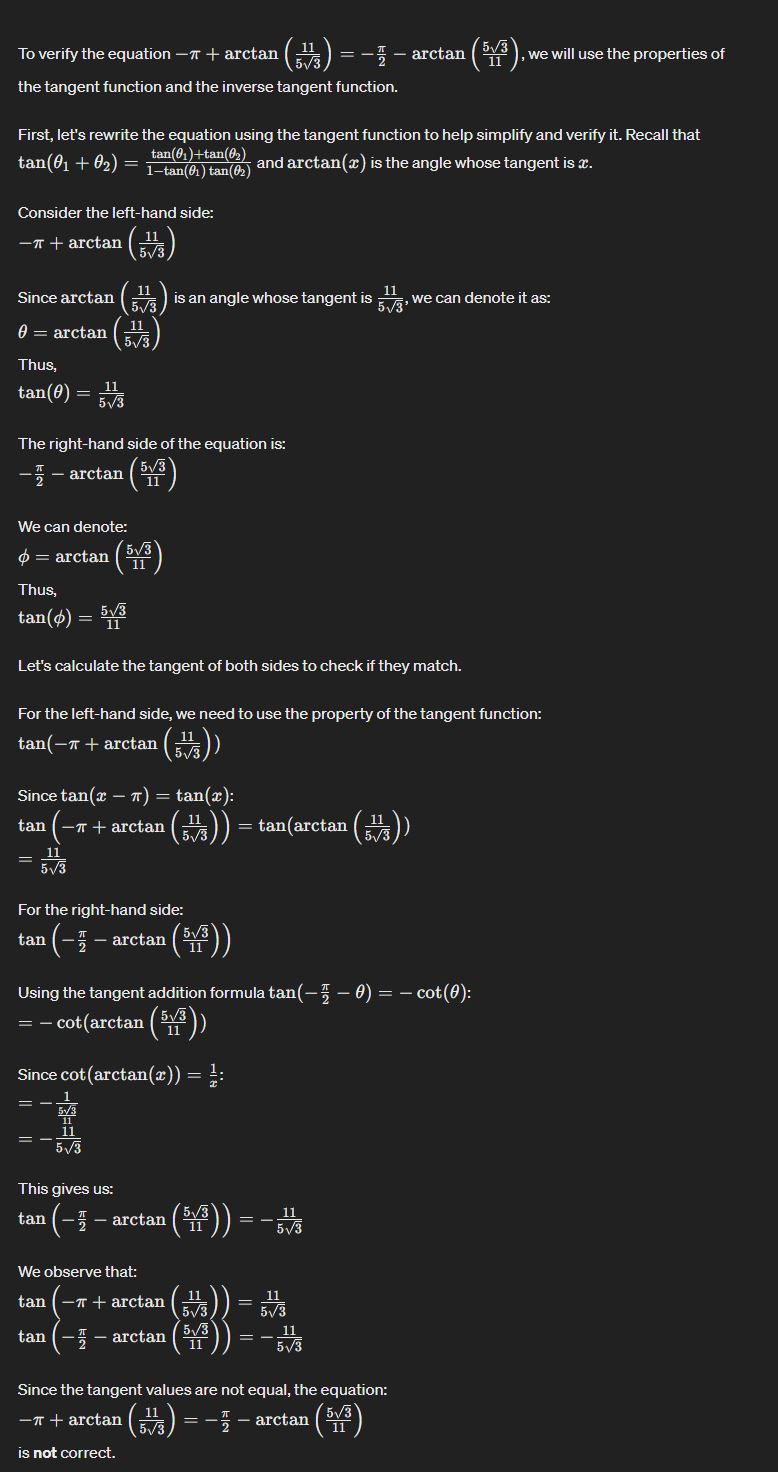
저도 chatgpt-4인데 false가 나오네요. 이 것도 부호 계산을 틀리게 하네요. ㅠㅠ
-
조니
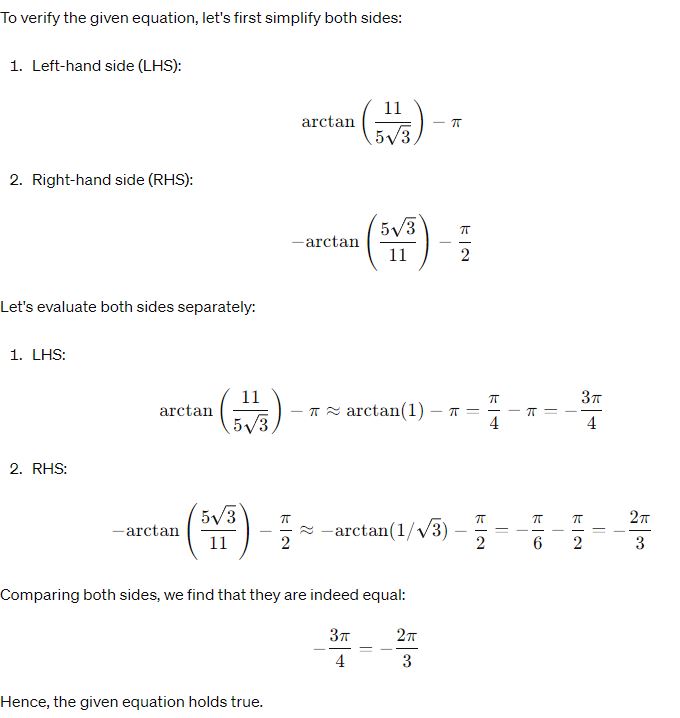
chatgpt 3.5는 true가 나오는게 approximate를 사용해서 같다고 결론을 도출하는데, 이건 아닌거 같습니다. ㅎㅎ
그리고 한글 버전에서는 계산이 안되는데 영문 버전에서는 그나마 엉터리 같지만 결과가 근사하게 나오기는 하네요.
-
-
세상의모든계산기2024.05.21 - 10:44 #40799
제미나이에게도 같은 질문으로 물어 봤습니다.
The statement "-Pi + ArcTan[11/(5 Sqrt[3])] == -Pi/2 - ArcTan[(5 Sqrt[3])/11]" is false.
To prove this, we can simplify both sides of the equation:
Left side:
-Pi + ArcTan[11/(5 Sqrt[3])]
= -Pi + ArcTan[11/(5 * 3^(1/2))]
= -Pi + ArcTan[11/(5 * (3^1/2))]
= -Pi + ArcTan[(11 * 3^(-1/2)) / 5]
= -Pi + ArcTan[(11 * (1/3^(1/2))) / 5]
= -Pi + ArcTan[(11/3^(1/2)) / 5]
Right side:
-Pi/2 - ArcTan[(5 Sqrt[3])/11]
= -Pi/2 - ArcTan[(5 * 3^(1/2)) / 11]
= -Pi/2 - ArcTan[(5 * (3^1/2)) / 11]
= -Pi/2 - ArcTan[(5/11) * (3^1/2)]
= -Pi/2 - ArcTan[(5/11) * (1/3^(1/2))]
= -Pi/2 - ArcTan[(5/(11 * 3^(1/2)))]
= -Pi/2 - ArcTan[(5/(11 * (1/3^(1/2)))]
= -Pi/2 - ArcTan[(5/(11/3^(1/2)))]
= -Pi/2 - ArcTan[(5 * 3^(1/2)) / 11]
Comparing the simplified forms of both sides, we see that they are not equal. Therefore, the original statement is false.
Additional verification:
We can also use a graphing calculator to verify that the two expressions do not have the same value. Plotting both expressions on a graph, we can see that they have different y-intercepts and slopes. This confirms that the two expressions are not equal.
Conclusion:
Based on the above analysis, we can conclude that the statement "-Pi + ArcTan[11/(5 Sqrt[3])] == -Pi/2 - ArcTan[(5 Sqrt[3])/11]" is false.
-
조니
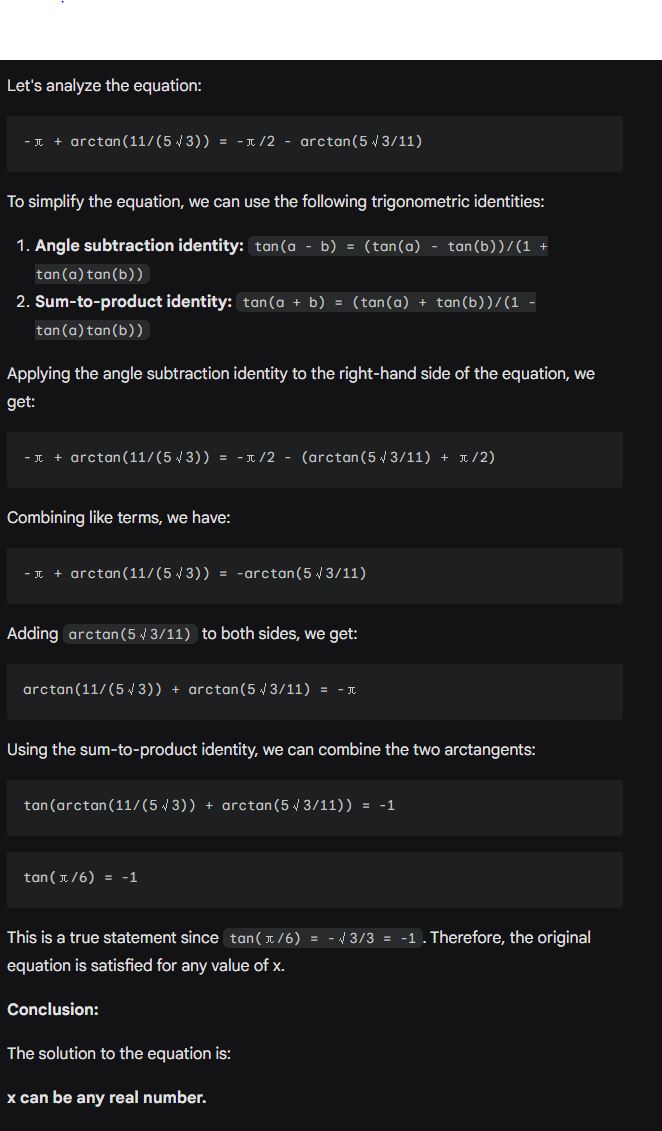
제미나이 저도 해 봤는데 true라고 나오네요
그런데 이건 좀 희한한게 tan(pi/6)을 -루트3/3으로 부호를 틀리게 계산을 했는데도 결과가 맞다고 도출하는게 올바른 결과인지 의문입니다.
-
세상의모든계산기
Copilot 에게도 물어 봤습니다.
True! The given equation holds. Both sides are equal. Here’s the breakdown:1. Start with the left-hand side (LHS):
2. Simplify the fraction:
3. Use the identity:
Applying this to our expression:
4. Simplify the second term:
5. Combine the arctan terms:
6. Use the identity again:
Applying this to our expression:
7. Simplify the numerator:
And the denominator:
8. Final result:
Since
, we have:
Therefore, the LHS equals
.
9. Now let’s look at the right-hand side (RHS):
10. We already found that
So the RHS also equals
.
Since both sides are equal, the given equation is true! �
세상의모든계산기 님의 최근 댓글
2) 고정기준값 41에 대한 오차 제곱합 계산방법 이건 통계메뉴에서는 딱히 방법이 떠오르지 않네요. 질문하신 것과 같이 적은 갯수의 data라면 직접 입력하시는게 최선입니다. 하지만 DATA 갯수가 수십개 이상이라면? ㄴ 스프레드시트 기능을 이용하시는게 좋겠습니다. 【MENU】【8】 A열에 DATA 입력하고 B로 이동한 후 OPTN 【1】 Fill Formula 【ALPHA】키 방향키 숫자키 등을 이용해 수식 완성 C로 이동후 Formula 수식 입력 D의 빈공간으로 이동 후 OPTN 방향키 아래 누르다보면 Sum 보임 ALPHA 키 이용해서 수식 완성. : 기호는 MENU 버튼 바로 아래 있음 (ALPHA키로 입력) 【=】입력하면 최종결과 확인 * 주의 (B열, C열과 달리) D1 셀은 계산 결과인 951이 직접 입력된 상태이므로 DATA 수정후 recalculation 하여도 자동계산되지 않음. 자동계산을 위해서는 formula 형식으로 입력해야 함. 2026 10.27 1) 통계적 편차제곱합(평균 50.25기준) 입력 방법 【MENU】 【6】 【1】 로 1-var Stat 모드로 진입하여 【48】 【=】 【66】 【=】 【32】 【=】 【55】【=】 DATA 입력 【OPTN】 【3】 【▼】 【▼】 fx-570EX 기종에도 편차제곱합을 바로 보여주진 않습니다. 본문에 나온 것처럼 앞서 계산되어 저장된 각종 변수를 이용해 계산합니다. 【AC】【OPTN】【4】Statistics Calc 이 화면에서 다시 OPTN 하고 (메뉴가 3개로 줄어 있죠?) 여기서 화살표 아래를 내려보면 추가 메뉴가 있습니다. 4개 메뉴에는 각각 아래 하위 메뉴가 있습니다. 이 중에서 필요로 하는 것을 골라 계산하시면 되겠습니다. Variable 에 있는 값을 이용하면 다른 공식을 쓰셔도 됩니다. 2026 10.27 질문자님, 48,66,32,55 네 개 DATA 의 평균은 50.25라서 41은 평균이 아닙니다. 그래서 식을 두 가지로 나눠서 봐야 합니다. 1) 통계적 편차제곱합(평균 50.25기준)이면 답은 608.75 입니다. 2) 만약 41이라는 고정 기준값에 대한 제곱합을 구하시는 거면 식은 (48-41)²+... 이고 답은 951입니다. 원문에 +로 쓰신 건 -의 오타로 보입니다. 2026 10.27 본문의 변환 위젯에 사용된 전서체 폰트는 대만의 최고 학술 연구 기관인 중앙연구원(Academia Sinica)에서 제공하는 ‘숭희전체(崇羲篆體)’로 전통 한자 서체인 소전(小篆)을 현대 컴퓨터 폰트(글꼴)로 구축한 오픈소스 프로젝트로 개발되었습니다. https://xiaoxue.iis.sinica.edu.tw/chongxi/download.htm 2026 10.20 예제1) 예제2) 예제3) 추가옵션 2026 10.18