
- 세상의 모든 계산기 수학, 과학, 공학 이야기 공학 ()
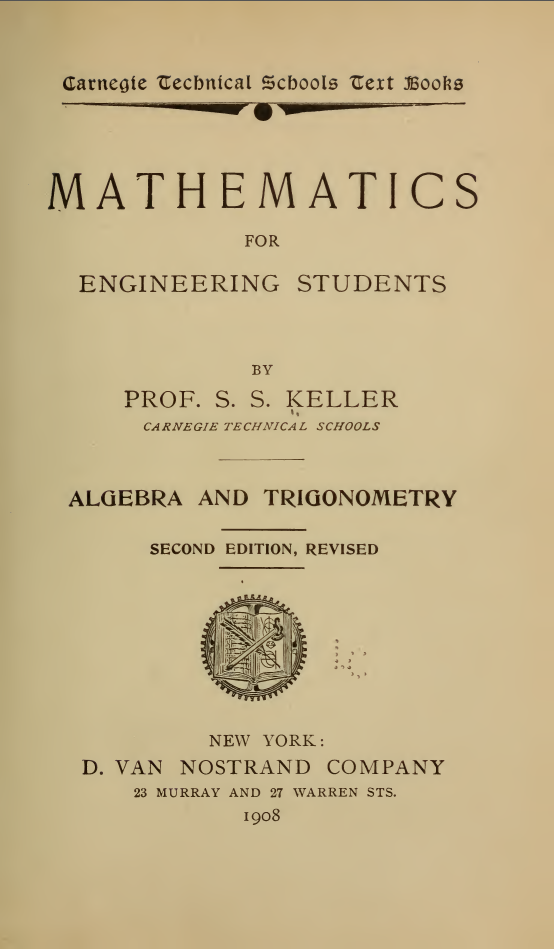
Mathematics For Engineering Students 1908
-

- 2024.08.06 - 21:28 2024.08.06 - 21:23 2807
1908년에 출판된 학생용 교재입니다.
기초적인 내용이 들어 있네요.
전부 보진 않았는데, 초중고에서 배우는 내용이 대부분인 듯 합니다.
https://www.survivorlibrary.com/index.php/Engineering_General
| 2016-11-15 | Mathematics For Engineering Students 1908 | PDF19 mb |
## Table of Contents
### Chapter I: Algebra and Arithmetic
1. **Definitions and Symbols**
Pages 1-3
2. **Addition**
- Addition of Monomials: Page 4
- Addition of Polynomials: Page 5
- Addition of Negative Numbers: Page 7
3. **Subtraction**
- Subtraction of Monomials: Page 5
- Subtraction of Polynomials: Page 6
- Subtraction of Negative Numbers: Page 7
4. **Multiplication and Division**
- Multiplication: Page 9
- Division: Page 10
5. **Exponents**
Page 10
6. **Polynomial Operations**
- Multiplication of a Polynomial by a Monomial: Page 11
- Division of a Polynomial by a Monomial: Page 11
- Multiplication of a Polynomial by a Polynomial: Page 12
- Division of a Polynomial by a Polynomial: Page 12
### Chapter II: Definitions and Types
1. **Definitions and Type Forms**
Pages 16-19
2. **Greatest Common Divisor**
Pages 20-24
3. **Least Common Multiple**
Pages 24-26
4. **Fractions**
Pages 27-29
### Chapter III: Equations
1. **General Concepts**
Pages 30-31
2. **Literal Equations and Uses of Letters**
Page 31
3. **Degree of an Equation**
Page 32
4. **Solving Equations**
- Clearing of Fractions: Page 33
- Transposition: Page 34
- Solution of Linear Equation of One Unknown: Page 34
- Simultaneous Linear Equations: Page 35
- Elimination by Substitution: Page 37
- Elimination by Indeterminate Coefficients: Page 38
- More than Two Unknowns: Page 39
### Chapter IV: Graphics
Pages 47-53
### Chapter V: The Binomial Theorem
- Involution and Evolution: Page 58
- Extraction of Roots: Page 59
- Square Root: Page 60
- Cube Root: Page 61
### Chapter VI: Surds
1. **Introduction to Surds**
Pages 65-66
2. **Simplification and Operations**
- Simplification: Page 67
- Order of a Surd: Page 68
- Reduction of Mixed Surds: Page 69
- Addition and Subtraction: Page 69
- Multiplication and Division: Pages 69-70
- Comparison: Page 70
- Rationalizing Denominators: Page 71
3. **Roots of Quadratic Surds**
- General Method: Page 74
- Another Method: Page 75
4. **Imaginaries**
Pages 77-77
- Multiplication of Imaginaries: Page 77
### Chapter VII: Indeterminate Equations
Pages 80-87
### Chapter VIII: Quadratic Equations
1. **Basics of Quadratics**
- Single Unknown: Page 88
- Kinds of Quadratics: Page 88
2. **Solving Quadratics**
- Roots of a Quadratic: Page 89
- Solution of Incomplete Quadratic: Page 89
- Solution of Complete Quadratic: Page 89
- Geometrical Illustration: Page 90
- Literal and Numerical Equations: Page 90
- Solution by Factoring: Page 91
- Solution by Substitution: Page 93
- Equations Involving Radicals: Page 93
- Equations of Higher Degree: Page 94
- Solution by Factoring: Page 95
- Character of Roots: Page 96
3. **Maxima and Minima**
Page 102
4. **Equations of Two or More Unknowns**
- Degree Higher than the First: Page 105
### Chapter IX: Logarithms
1. **Introduction to Logarithms**
Page 114
2. **Logarithms of Decimals**
Page 117
3. **Cologarithms**
Page 119
4. **Finding a Number from Its Logarithm**
Page 120
### Chapter X: Inequalities
Pages 125-127
### Chapter XI: Progressions
1. **Arithmetical Series**
Page 136
2. **Arithmetical Mean**
Page 138
3. **Geometrical Progression**
- Value of Any Term: Page 141
- Geometrical Mean: Page 142
4. **Infinite Series**
Page 143
5. **Harmonical Progression**
Page 145
### Chapter XII: Interest and Annuities
1. **Interest Definitions**
Page 147
2. **Simple Interest**
Page 147
3. **Compound Interest**
Page 147
4. **Annuities**
Page 148
### Plane Trigonometry
#### Part I: Basic Trigonometry
1. **Relation between Angle and Line**
Page 155
2. **Trigonometric Ratios**
Page 156
3. **Functions**
- Functions of 45°: Page 161
- Functions of 60°: Page 162
4. **Identities**
Page 168
5. **Trigonometric Equations**
Page 169
#### Part II: Solution of Triangles
1. **The Right Triangle**
Page 172
2. **The Isosceles Triangle**
Page 174
3. **Regular Polygons**
Page 175
4. **Areas**
Page 177
#### Part III: Further Relations
1. **Functions of Angles**
- Expressing Functions in Terms of First Quadrant Angles: Page 193
- Sum and Difference of Functions: Page 200
- Functions of Half an Angle: Page 209
2. **Inverse Trigonometric Functions**
Page 213
#### Part IV: Solution of Oblique Triangles
Page 215
#### Part V: Spherical Trigonometry
1. **Right Spherical Triangles**
Page 225
2. **The Isosceles Triangle**
Page 230
3. **The Oblique Triangle**
Page 231
#### Part VI: Applications
1. **Area of a Spherical Triangle**
Page 244
-
25
세상의모든계산기 님의 최근 댓글
언제 추가되었는지 확인은 못하였습니다만, 델리(DELI) D991EX 가 허용군에 추가되어 본문 갱신하였습니다 2026 11.10 좋은 정보 감사드립니다. 링크 글은 수정하였습니다. 2026 11.10 게임에서는 왜 굳이 버림을 쓸까요? 반올림이면 이런 일이 생깁니다. 진짜 99.99996% → 반올림하면 표시 100.0000% 눈에는 100%인데 렙업이 안 된 거죠. 이건 플레이어 입장에서 명백한 버그로 보입니다. 버림이면 표시가 진짜를 절대 초과하지 않습니다. 진짜 99.99996% → 표시 99.9999% 진짜 100.00000% → 표시 100.0000% = 딱 렙업 즉, 표시가 100%가 되는 순간 = 진짜로 렙업되는 순간이 일치합니다. 2026 11.08 2) 고정기준값 41에 대한 오차 제곱합 계산방법 이건 통계메뉴에서는 딱히 방법이 떠오르지 않네요. 질문하신 것과 같이 적은 갯수의 data라면 직접 입력하시는게 최선입니다. 하지만 DATA 갯수가 수십개 이상이라면? ㄴ 스프레드시트 기능을 이용하시는게 좋겠습니다. 【MENU】【8】 A열에 DATA 입력하고 B로 이동한 후 OPTN 【1】 Fill Formula 【ALPHA】키 방향키 숫자키 등을 이용해 수식 완성 C로 이동후 Formula 수식 입력 D의 빈공간으로 이동 후 OPTN 방향키 아래 누르다보면 Sum 보임 ALPHA 키 이용해서 수식 완성. : 기호는 MENU 버튼 바로 아래 있음 (ALPHA키로 입력) 【=】입력하면 최종결과 확인 * 주의 (B열, C열과 달리) D1 셀은 계산 결과인 951이 직접 입력된 상태이므로 DATA 수정후 recalculation 하여도 자동계산되지 않음. 자동계산을 위해서는 formula 형식으로 입력해야 함. 2026 10.27 1) 통계적 편차제곱합(평균 50.25기준) 입력 방법 【MENU】 【6】 【1】 로 1-var Stat 모드로 진입하여 【48】 【=】 【66】 【=】 【32】 【=】 【55】【=】 DATA 입력 【OPTN】 【3】 【▼】 【▼】 fx-570EX 기종에도 편차제곱합을 바로 보여주진 않습니다. 본문에 나온 것처럼 앞서 계산되어 저장된 각종 변수를 이용해 계산합니다. 【AC】【OPTN】【4】Statistics Calc 이 화면에서 다시 OPTN 하고 (메뉴가 3개로 줄어 있죠?) 여기서 방향키로 【▼】 아래를 내려보면 추가 메뉴가 있습니다. 4개 메뉴에는 각각 아래 하위 메뉴가 있습니다. 이 중에서 필요로 하는 것을 골라 계산하시면 되겠습니다. Variable 에 있는 값을 이용하면 다른 공식을 쓰셔도 됩니다. 2026 10.27