
- HP 10BII+
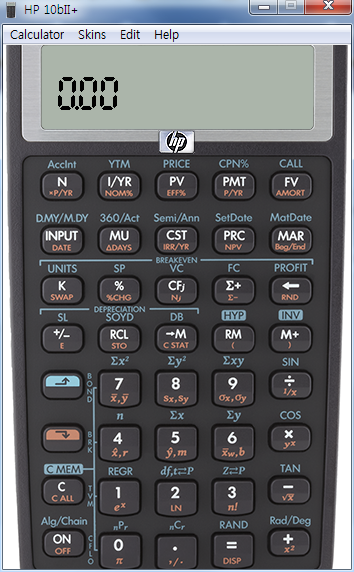
[HP 10bII+] Emulator 재무용 계산기 에뮬레이터
-

- 2024.07.27 - 09:28 2015.03.01 - 12:48 4499 1
 설치
설치 -
25
댓글1
-
세상의모든계산기2015.03.01 - 13:11 #5231
모든 hp 계산기 에뮬레이터는 교육용에 한하여 요청을 하면 보내준다는 듯 합니다.
https://ssl.www8.hp.com/h41268/live/index.aspx?qid=20709&jumpid=va_r11363_us/en/any/tsg/pl_ot_ob_ds_pd/calculatoremulators_cc/dt
HP Calculator Emulators for Educators
Request an HP Emulator for your coursesEducators - HP's PC emulator software provides you with a fully functional replica of any HP calculator model. Just launch the emulator and attach your PC to a projector to show keystrokes and make it easy to create a participatory environment for your students. All HP calculator emulators are Windows 7 compatible. The HP Prime emulator is also Windows 8 compatible.
How do you take advantage of this offer? Fill out the form below and submit.
HP Emulators are only free for educators, so we require that you include a copy of your syllabus clearly stating the requirement of a calculator in your course. Approval of your request to participate in this offer is at HP’s sole discretion. If your request is approved, HP will notify you of the approval. Please allow up to 5-7 business days for delivery after you receive notification of approval.
-- REMEMBER TO TELL YOUR PROFESSOR COLLEAGUES THAT THEY TOO CAN TAKE ADVANTAGE OF THIS OFFER! --
세상의모든계산기 님의 최근 댓글
본문의 변환 위젯에 사용된 전서체 폰트는 대만의 최고 학술 연구 기관인 중앙연구원(Academia Sinica)에서 제공하는 ‘숭희전체(崇羲篆體)’로 전통 한자 서체인 소전(小篆)을 현대 컴퓨터 폰트(글꼴)로 구축한 오픈소스 프로젝트로 개발되었습니다. https://xiaoxue.iis.sinica.edu.tw/chongxi/download.htm 2026 10.20 예제1) 예제2) 예제3) 추가옵션 2026 10.18 PC 소프트웨어에서 script Editor 로 소스코드를 쉽게 복사 -> AI에게 문의/개선요청 할 수 있습니다. 잘 되거나, 잘 안되는 부분이 있으면 대댓글 남겨주세요. 2026 10.16 AI로 딸깍하니까, lua 프로그램으로 바꿔주네요. 세상 참... 본문의 ti-basic 기반으로 만들었고, 서로 문제를 일으킬 수 있을 듯 하여 별개의 파일로 작성하였습니다. 1.1 Page : 설명 1.2 Page : 그래프 1.3 Page : Calculator 사용법 Root Locus 1+K*N/D=0 EX: (6s^2+5s+2)/(6s^3(s^2+7s+16)) INPUT (Calculator page 1.3 ): rl_num:={6,5,2} rl_den:={6,42,96,0,0,0} or num(6s^2+5s+2) den(6s^3(s^2+7s+16)) optional: rl_T:=10 rl_D:=1 Coeffs are descending powers of s. Back on graph page it refreshes itself, else press [r] or [enter]. KEYS: [+] [-] Kmax zoom, [0] reset, [r] reload MARKS: x=pole, o=zero, red line=real axis, gray dash=asymptote, box=break pt, diamond=j-cross VARS: rl_Kmax rl_sigma rl_r rl_JK rl_Jw 첨부파일 rlocus_lua.tns 2026 10.16 링크가 깨졌다고 하시니 404 에러가 나는 아래 링크를 말씀하시는 것 같은데 https://digilander.libero.it/fpirozzi/fourier.zip 이것은 TI-89 / TI-92 용 파일이며 [TI-92][TI-89] Fourier Transform Library https://allcalc.org/52455 링크의 Attached files + 안에 있습니다. 2026 09.11